
It started with a fairly simple idea: build a Mac app I could use to generate images. Something that worked the way I wanted it to, with my favourite tools and styles in one place.
Imagination Engine was born.
Draw Things was a big part of the inspiration. I wanted to take the things I liked about it and build them into my own app. Download AI image models and LoRAs directly, experiment with different combinations, save image presets, add custom styles and artist styles, upscale the results. The lot.
As a fallback, I added OpenAI image generation through an API key.
That fallback quickly became the thing I used most. My local setup wasn’t giving me the quality and consistency I wanted, so I kept reaching for the API. One more image. A slightly different style. Perhaps another version of that one.
Before I knew it, $60 had gone on images most people would never see. Some of them I probably wouldn’t look at again either.
Time to rethink.
My next attempt was a handful of custom GPTs, each with selected image styles. That worked reasonably well until I wanted to mix those styles. Keeping the right instructions together, trying different combinations and managing everything across separate GPTs became awkward quite quickly.
I already had a collection of styles I liked. I wanted an easier way to use them.
Then I came across a video about cloning Grokbot with ChatGPT 6 Astra. It gave me an idea: build my own interface around the agents and AI setup I was already using.
In my case, that meant Hermes, ChatGPT and local models running on my Mac mini.
With Astra doing the coding, the first prototype took about an hour. That was enough to make the idea feel real. A native Mac app, connected over my local network, where I could talk to my agents individually.
And then, predictably, I started adding things.
I wanted to create agents inside the app, choose their model and give them a purpose. Some could use a local model through LM Studio; others could use the OpenAI models available through my existing Hermes subscription connection. For image generation, Hermes provides the connection to the image service. Having a local chat model doesn’t mean the images are generated locally as well.
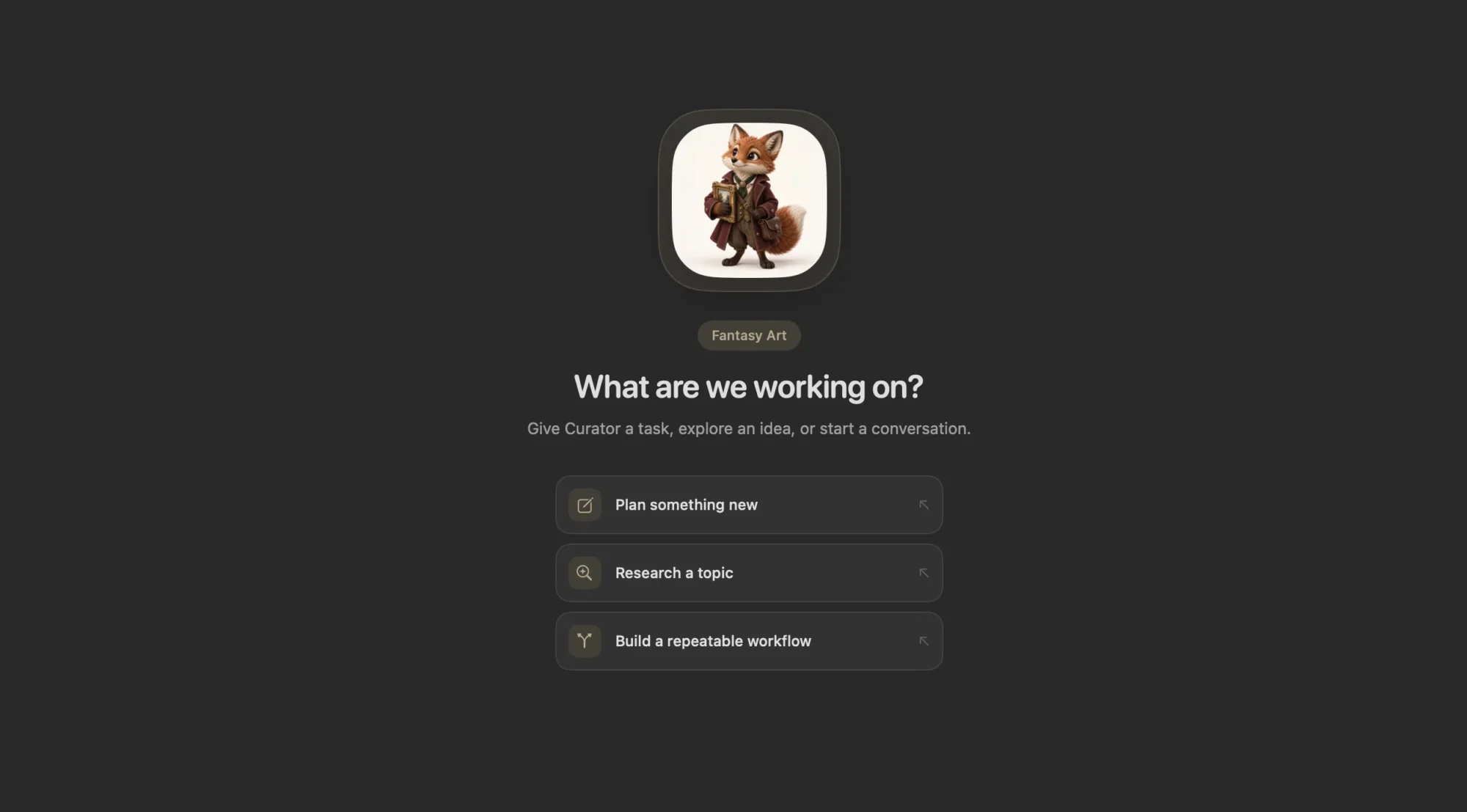
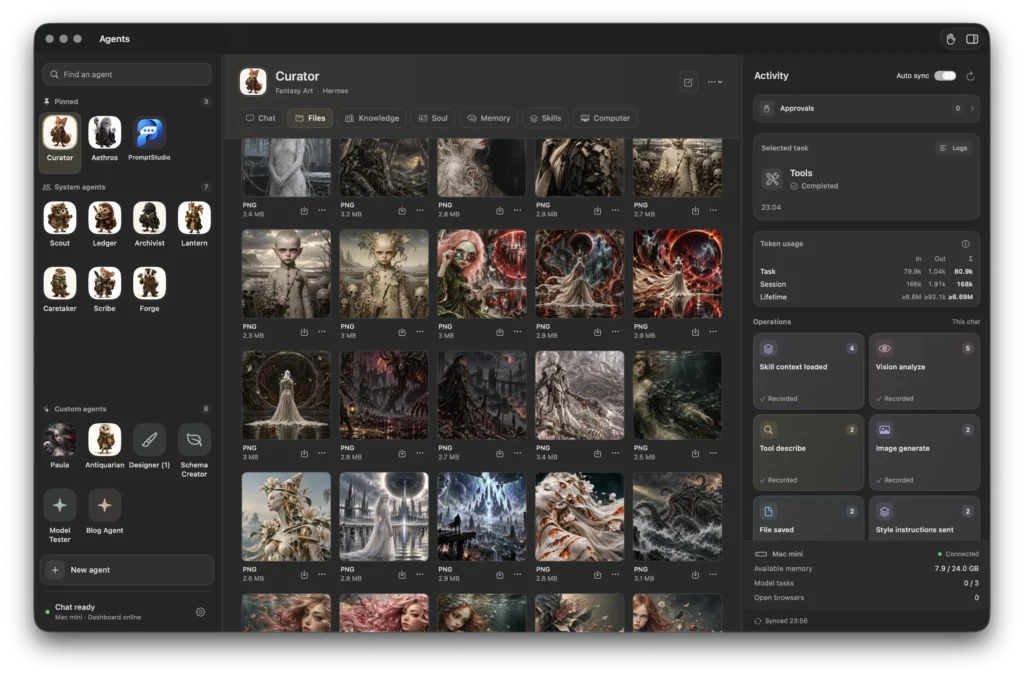
Each agent could have its own persona, skills and background knowledge. Curator became my image specialist. Forge could help with code and technical work. I could give an agent Markdown files containing project information, rather than explain the same background every time I opened a conversation.
By this point, I was building a workspace for several kinds of work. Image creation was still what had started it all, and I wanted to bring the best part of Imagination Engine with me: the styles.
I exported the presets from the old app and turned them into skills. A bulk JSON importer brought the collection across without having to recreate every entry by hand.
Now I can type / in a message, search the available skills and select the styles I want to use. I can attach several to the same request and experiment with combinations. The style library stays with the agent when I start a fresh chat.
The visual side matters here. I had already created preview images for the styles, because a name alone doesn’t always tell me what I’m going to get. So we added thumbnails to the skills and to the selection list. Those previews are for me; they aren’t silently added to the agent’s image references.
Then came another small convenience that saved a lot of repetitive work: importing a whole folder of thumbnails and matching their filenames to the skill names.
This is probably my favourite part of building an app for myself. I run into something annoying, explain what I wish happened instead, and we can change it.
Of course, using the app properly exposed plenty of problems.
An agent could say it had created a file without actually delivering one. A screenshot could exist somewhere on the Mac mini but fail to appear in the chat. An agent could receive an image’s filename without the image itself, or acknowledge a style without carrying its full instructions into image generation.
Those details took considerably longer than the first prototype.
We added checks around file delivery and made sure selected style instructions reach the image tool intact. That doesn’t guarantee a perfect interpretation of every style combination, but it removes one very frustrating source of failure: asking for something the image tool never actually received.
The results also needed a proper home. Generated images now appear in the conversation and in a gallery in the Files tab. Documents and other outputs have previews and downloads. Uploaded reference images keep their thumbnails in the messages where I posted them. Starting a new session clears the conversation context while keeping the agent’s skills, knowledge and file library available.
I can also bring another agent into a conversation with @. If a task needs a specialist, that agent can contribute under its own name. Different portraits and muted chat colours make it easier to follow who is answering.
Gradually, the interface started to feel more inviting too. Larger agent portraits, a grid of favourites, softer chat bubbles, light and dark modes, and a compact activity sidebar. I wanted something pleasant to spend time in, with useful information visible without filling the chat with technical notices.
It is still a work in progress. Browser interaction has been particularly fiddly, and I keep finding small things that need attention. But I’m now using the app for the work it was built to do, which is a much better test than a tidy demo.
Imagination Engine began as a way to make pictures. It has led me to a Mac workspace where I can develop ideas, bring in different agents and keep the useful results together.
I still spend far too long trying different image styles. At least now I have a better place to do it.