
If you use AI for ongoing projects, you probably know the routine. You open a new conversation and start explaining everything again: what you’re working on, who it’s for, how it should sound, what has already been decided and what you want to avoid.
Some of that information is in an old chat. Some of it is in a document. The useful instruction you need today might be buried halfway through a conversation you can no longer find.
PromptStudio gives that information somewhere to live.
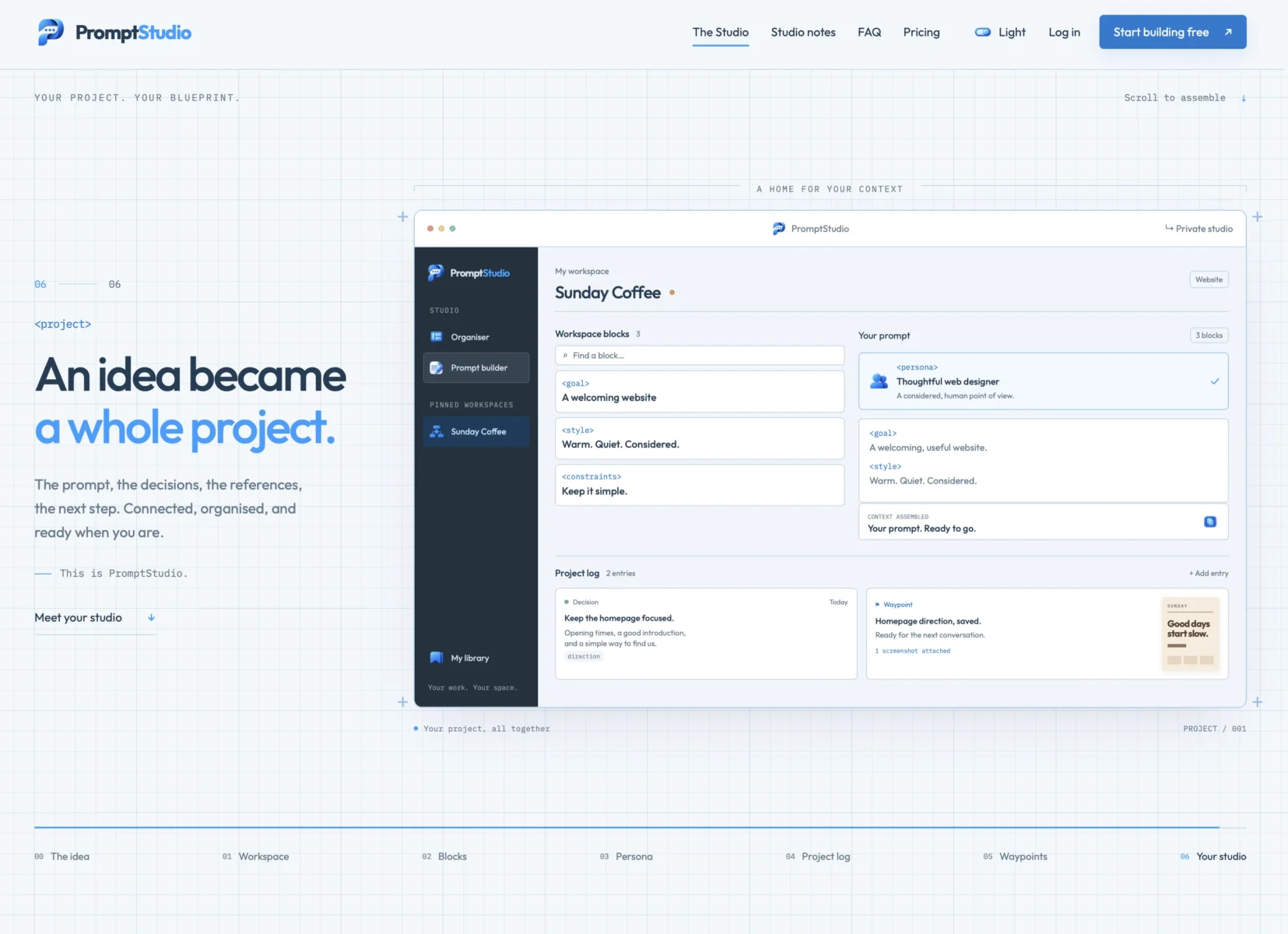
It’s a private organiser and visual prompt builder for the context you want to reuse. You can keep project instructions, creative direction, reference material and working preferences together, then assemble the parts you need for the next task.
The AI work still happens wherever you normally do it. PromptStudio helps you prepare the brief you take there. It doesn’t generate text or images itself, and there’s no AI account connection or API key to set up.
Take a small coffee brand as an example. You might have a particular colour palette, a friendly writing style, a specific audience and a few rules about how the brand should present itself. Those details matter whether you’re writing the homepage, planning a product page or preparing an image prompt.
In PromptStudio, you can give the project its own workspace and save those recurring details as separate blocks. One block might describe the brand’s voice. Another could contain its visual direction. Others might cover accessibility requirements, project constraints or the structure you want in an answer.
When a new task comes along, choose the blocks that apply, arrange them in the prompt builder and add today’s request. You can review the assembled prompt before copying it into the AI tool you want to use.
That also makes the information easier to maintain. If the brand’s direction changes, you have a clear place to update it instead of hunting through old conversations.
You can create reusable personas as well. These are instructions describing the role or perspective you want an AI to take. It might be a thoughtful editor, a practical development partner or an art director with a particular approach. Give the persona a name and some tags, then use it across different workspaces whenever that perspective is useful.
As the collection grows, the Organiser gives you somewhere to sort it all out. Workspaces, personas and blocks have their own sections, with groups, tags, colours, favourites and search. You can pin the workspaces you use most to the sidebar and keep occasional projects available without letting them take over the screen.
There’s also room for the history behind the work.
Projects rarely develop in a straight line. Decisions change, problems appear and promising ideas get put aside for a while. PromptStudio’s Project log lets you record decisions, bugs, open questions and next actions alongside the workspace they belong to.
Waypoints let you save a useful stopping point. After an AI conversation, you can record what was agreed, what remains unresolved and where to continue. When you return to the project, you can choose the relevant log entries to include in a new prompt.
Screenshots, files and reference links can sit alongside that history, with a gallery for browsing images. They can help you remember what a decision referred to or how a project looked at a particular stage. Copying a prompt transfers the text. You still choose and provide any files separately in the receiving tool.
If you prefer a starting point, PromptStudio also supports customisable starter packs. These can contain personas, reusable prompt blocks or complete workflow examples for things such as a website brief, visual direction or brand guidelines.
The useful part is that you can change them. Remove what you don’t need, rewrite the instructions and gradually develop a version that fits the way you work. A starter pack is a starting point, not another system you have to obey.
Privacy is part of the design. Personal workspaces, personas, project logs and attachments are kept separate from the public starter library. They aren’t published for other members to browse, and PromptStudio doesn’t automatically send your material to an AI service. You decide what to copy and where to use it.
PromptStudio is most useful when you keep returning to the same projects. That might mean maintaining a visual identity, developing a consistent writing voice, tracking decisions during software development or keeping several creative directions apart.
You don’t need to build an elaborate system on day one. Start with one project and save three things you regularly find yourself explaining. Add a task, assemble a prompt and use it wherever you already work. The studio can grow once you know which parts are worth keeping.
PromptStudio is free to use, with 100 MB of attachment storage per account. Any external AI service you choose has its own pricing and limits.
You can explore it at promptstudio.my.