


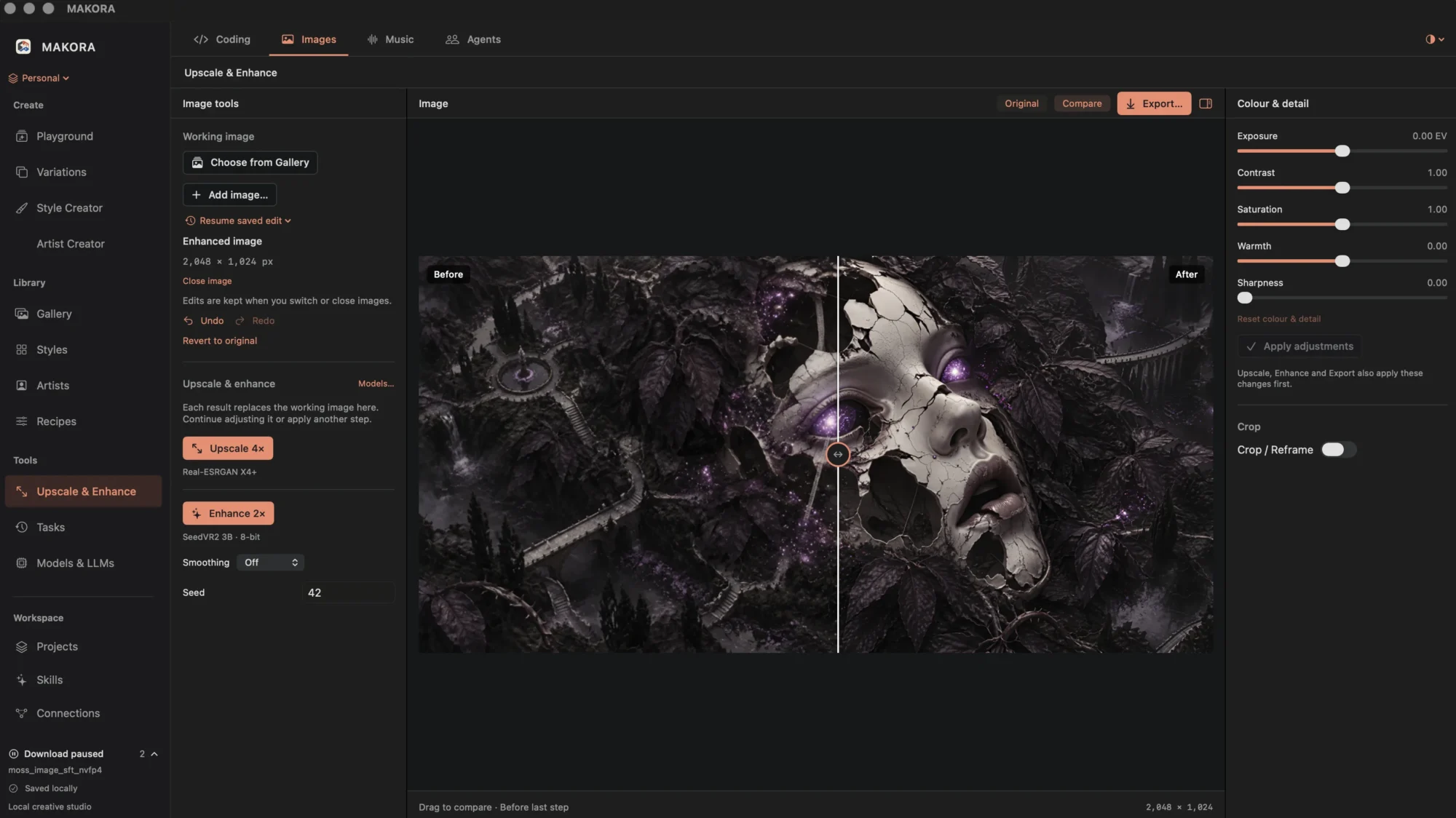
I’ve been building a personal desktop app called Makora. It brings together image creation, writing, coding, music and AI assistants, with one idea at its centre: using different AI models should be straightforward.
There are so many interesting models available now. Some are useful for coding, others have a particular visual style, and others can generate music or improve an existing image. I want to be able to explore those possibilities without turning every new model into a separate installation project.
The experience I’m working towards is simple: find a model, download it, choose it in the app and start creating.
I appreciate what tools like ComfyUI make possible, but I don’t always want to spend my creative time learning a complicated setup or figuring out how all the pieces connect. Sometimes I just want to try a model and see what it can do. No rocket-science degree required.
For supported models, Makora brings that process into the app. I can browse and download them, keep them in my library and select the one I want for a particular task. Model support is still growing, but making that workflow approachable is a big part of the project.
What makes this especially interesting is the variety of things those models can help with:
- Text and coding: choosing a language model to help develop ideas, write, explain something or work through a coding problem.
- Image creation: experimenting with different image models, each with its own strengths and visual character.
- Enhancement and upscaling: taking an existing image further, improving its detail or preparing a larger version.
- Music: exploring generated tracks and musical ideas within the same workspace.
- Personal assistants: creating agents with their own names, avatars, personalities and instructions, powered by a chosen model.
I like having that choice. A model that works well for one task might not be the one I want for another. Even with images, changing the model can change the character of a result considerably. Being able to experiment without leaving the app makes that variety much more useful.
The creative side goes beyond selecting a model, too. I’m building ways to save visual styles, reference artists and combine influences into reusable recipes. I can try the same idea with different combinations and compare the results. When something works, I want to keep it and build on it.
Image enhancement has been a particular highlight. Seeing an image develop further after its initial creation has opened up another part of the process for me. I can choose a result, make adjustments and explore how much more I can get from it.
Getting all of this into one app has taught me how much the workflow matters. Having a feature available doesn’t automatically make it pleasant to use. Controls need to be where I expect them, related tools need to stay together, and the app needs to tell me clearly when it is working.
There have been plenty of revisions along the way. Some things worked technically but felt clumsy in practice. Using Makora myself has been the best way to find those problems—and a reminder to spend time refining what exists before adding the next idea.
It’s still a personal project in development, and I’m looking forward to exploring larger models when my more powerful Mac arrives. For now, the aim remains the same: make a wide range of AI tools accessible through a workspace where I can concentrate on the creative work.
I want trying a new model to feel like picking up another tool and seeing what I can make with it.